DropNow
Android to Mac file transfer
Plug in your phone. Browse both sides. Move files without the cloud.
Android Device
Internal Storage › Movies
- DCIM156 items
- Download48 items
- WhatsApp89 items
- vacation_clip.mp4125 MB
- notes.txt2.4 KB
Mac
~/android
- DCIM_Backup156 items
- WhatsApp Media89 items
- old_photos34 items
- readme.txt1.2 KB
See DropNow in action
Dual-pane browsing with your Android device on one side and your Mac on the other.
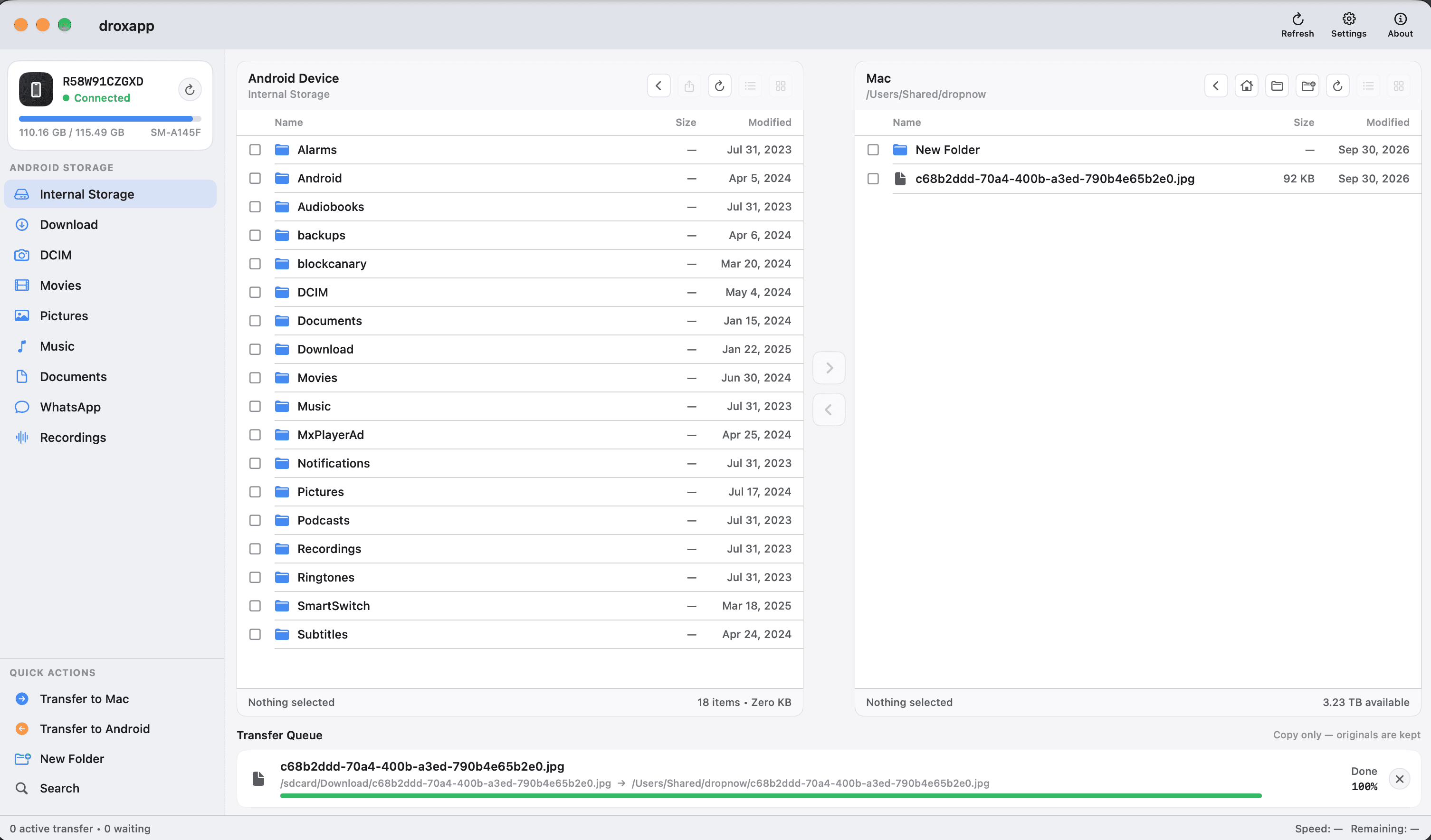
Connect. Browse. Transfer.
DropNow uses ADB over USB so your Android storage sits next to your Mac folders— like a dual-pane file manager built for the two devices you use every day.
- 01
Plug in
Connect your Android phone with USB debugging enabled. DropNow detects the device automatically.
- 02
Browse both sides
Open Internal Storage, DCIM, Downloads, or any folder—side by side with your Mac.
- 03
Move files
Select photos, videos, or folders and transfer either way. Watch progress in the queue.
Built for the files you actually move
Fast local transfers over USB—no accounts, no waiting on uploads.
Dual-pane browser
Android on the left, Mac on the right. Navigate folders the same way you already think about files.
Both directions
Pull camera rolls and WhatsApp media to your Mac, or push documents and backups back to the phone.
Storage shortcuts
Jump straight to DCIM, Download, Movies, Documents, and more from the sidebar.
Transfer queue
See what’s moving, what’s waiting, and what’s done—with live progress while files copy.
Your phone and Mac, finally in sync
Download DropNow for macOS and start transferring in minutes.
Download for Mac